
A separate database per company
Your records never share a table with another company's.
 BayCRMCustomer Management (CRM)
Follow your customers, leads, opportunities and meetings on one screen. At the first sign-in you choose your sector; the modules that fit your work are switched on and the ones you don't use stay out of your menu.
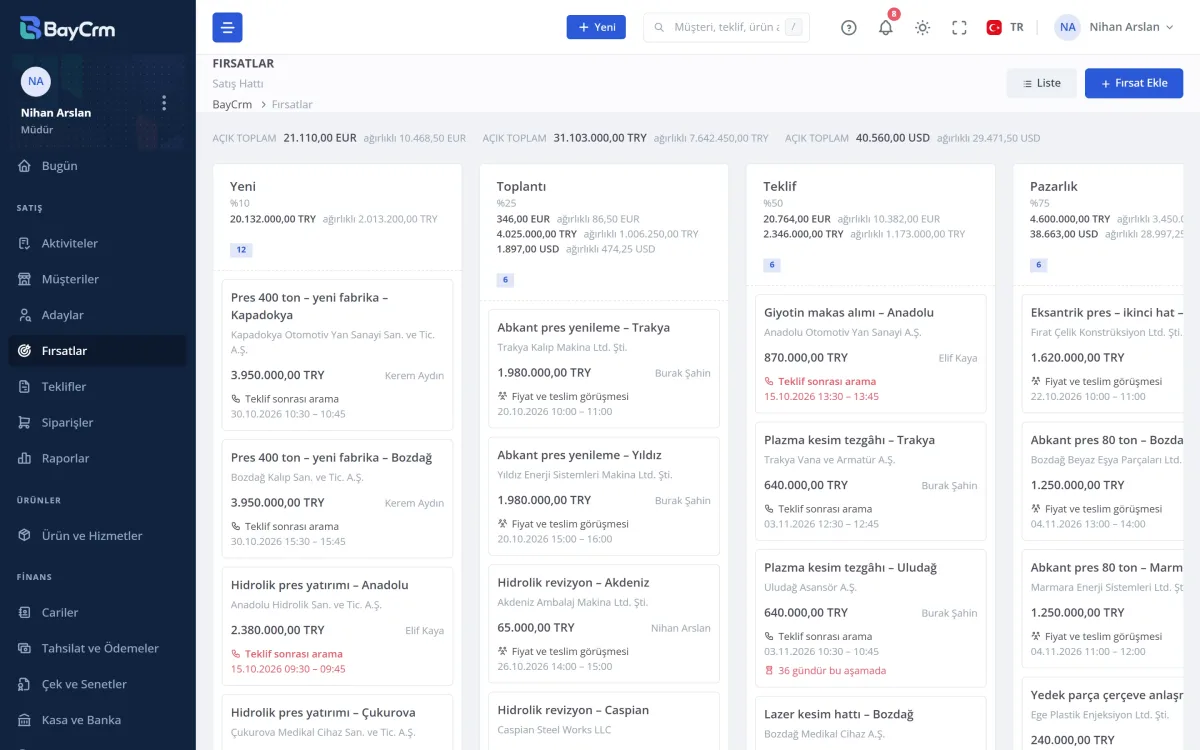
Opportunities sit as cards in stages such as New, Meeting, Quote and Negotiation. You see each column's total and its probability-weighted amount; different currencies are never added together.
Opportunities that have waited long in one stage, or have no next step planned, are flagged.
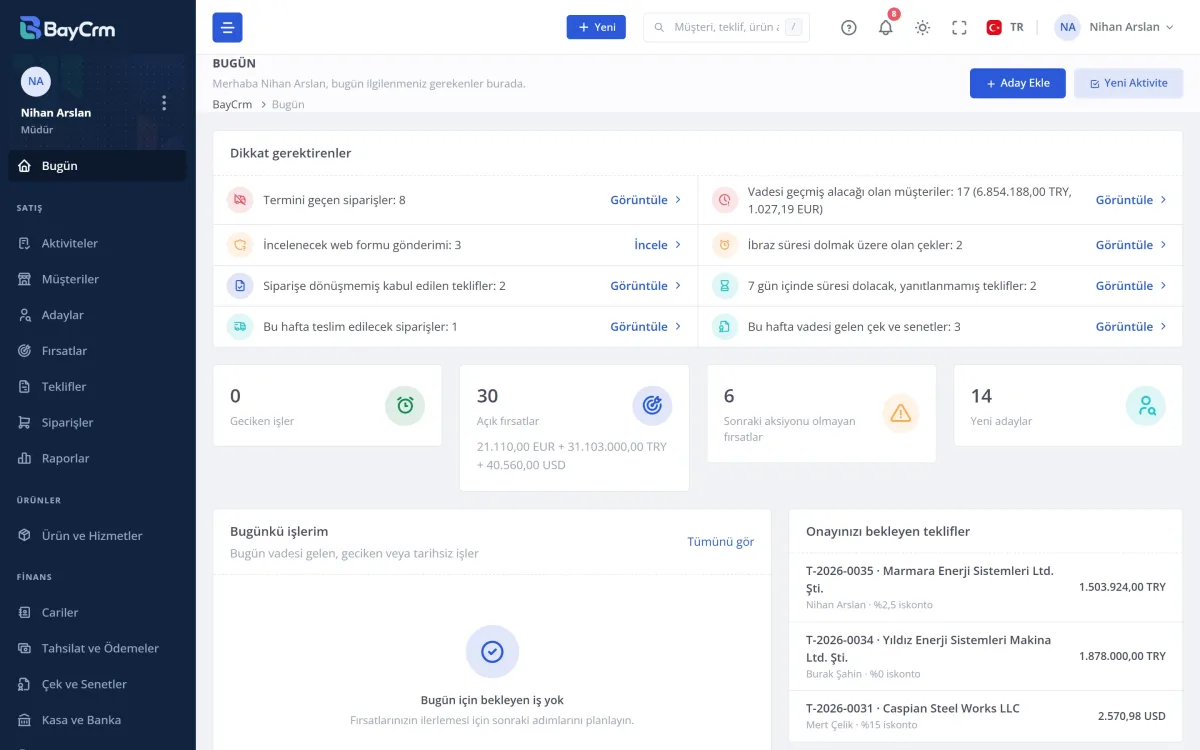
The first screen after sign-in: overdue tasks, open opportunities, new leads, quotes about to expire and those waiting for your approval, in one card.
Every line takes you to the matching list in one click.
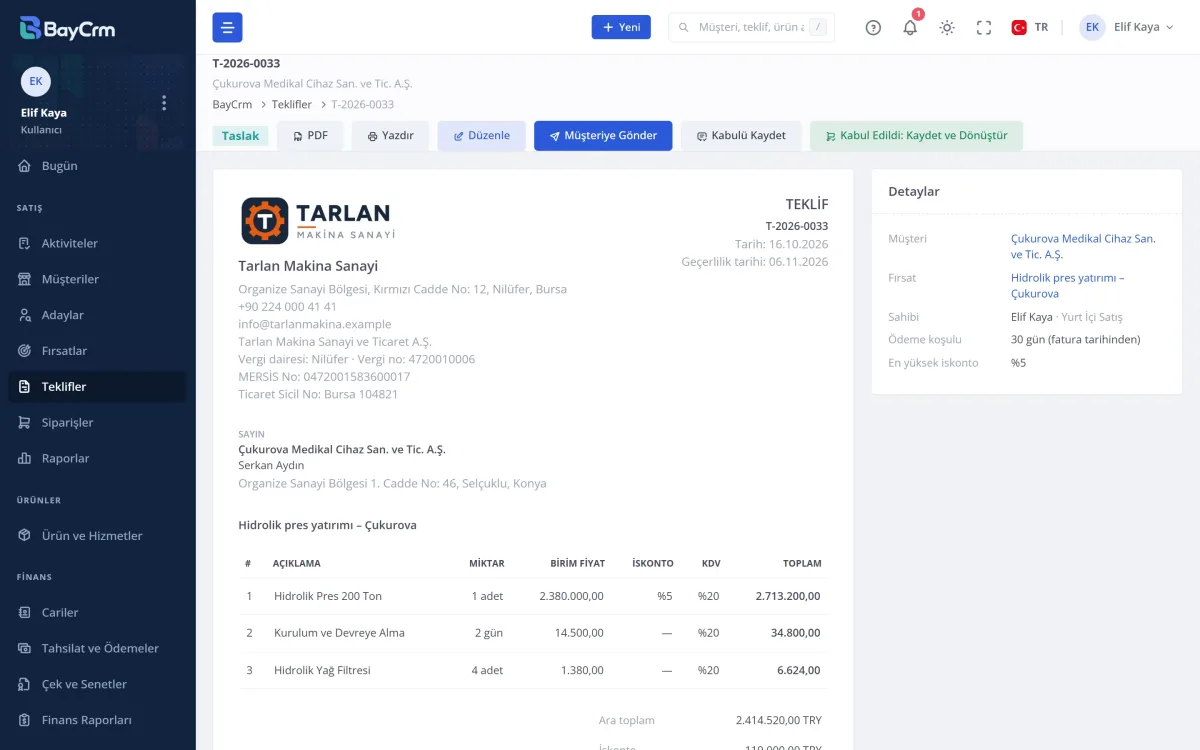
You pick lines from the product catalogue; unit, VAT and discount come by themselves. A line with a low margin goes to the manager for approval.
The quote leaves as a PDF and a link from your own e-mail address. The customer accepts it on the phone in one click and you are notified; an order confirmation and a proforma come from the accepted quote.
| Module | What it does | Status |
|---|---|---|
| Core CRM | ||
| Customers and contacts | Customer card with several addresses and contacts | In every package |
| Leads and opportunities | Lead to opportunity, staged sales board, loss reasons | In every package |
| Activities and calendar | Tasks, meetings and call records | In every package |
| Quotes | Approval flow, revisions, PDF, one-click customer acceptance | In every package |
| Products and services | Catalogue, units, bulk price updates | In every package |
| Teams and permissions | Who sees which record, roles | In every package |
| Modules | ||
| Orders | Order confirmation and proforma from an accepted quote | Included |
| Reports | Won/lost, conversion, per-representative summary | Included |
| Web Form | Leads straight from the form on your website | Included |
| Import | Customers and leads from Excel/CSV, checked first | Included |
| Custom Fields | Fields of your own on your records | Included |
| Pre-accounting | Current accounts, collections and payments, cheques and notes, cash and bank | Paid add-on |
On the roadmap: stock and waybills, invoices and e-documents, technical service, Google and Outlook calendar sync. Pre-accounting is for internal tracking; it does not replace the statutory books.
In the set-up wizard you choose your field of activity, the matching modules are switched on, you invite your team and upload your customer list. Every step can be skipped; you change the choices later in Settings, and switching a module off deletes nothing.
Export it whenever you like; no contract ties you down.
Your records never share a table with another company's.
The administrator can make it mandatory for the whole team.
Time-limited and read-only; you are told the moment it enters.
All of your data as Excel files, also after the trial has ended.
You cancel the monthly subscription in one click.
Payments are taken on iyzico's page.
Click an image to enlarge it.
Real screens, taken with the demo data of a fictional machinery company.
Write to our team and we will get back to you shortly.
Contact usNo question matches this search. Try a different word.
Write to us about set-up and moving over; we will answer your questions.