
CI-V / CAT Control
Fully manage frequency, mode, band and filter settings from your computer
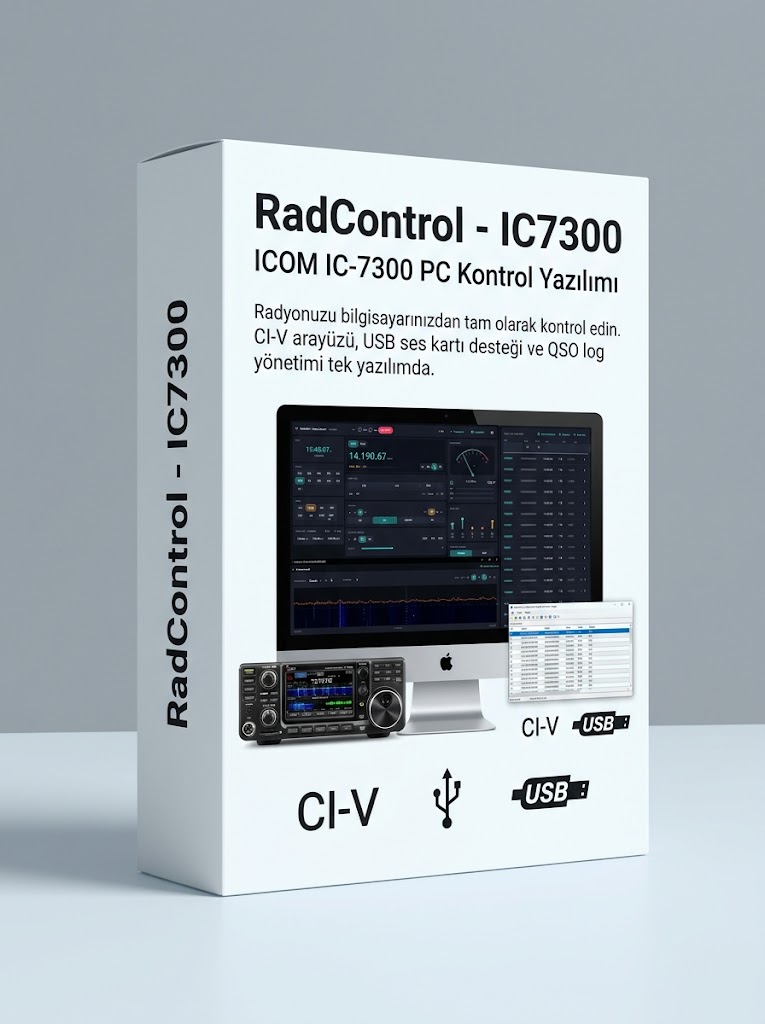
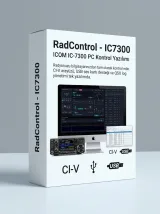 RadControl - IC7300Automation
Take full control of your radio from your computer. CI-V interface, USB audio support and QSO log management in a single application.
RadControl is a PC control application with a Turkish-language interface, developed for ICOM IC-7300 users.
It integrates fully with your radio over the CI-V protocol, letting you easily manage frequency, mode, band, filter and power settings from your computer. Thanks to USB audio support, you can make QSOs directly with your microphone and headphones, with no separate audio interface needed.
All your QSOs are logged automatically, recording date, UTC time, callsign, RST, band and mode. Log data can be exported in ADIF format, so it works seamlessly with LoTW, eQSL and other platforms.
RadControl is developed by Turkish amateur radio operators, for operators.
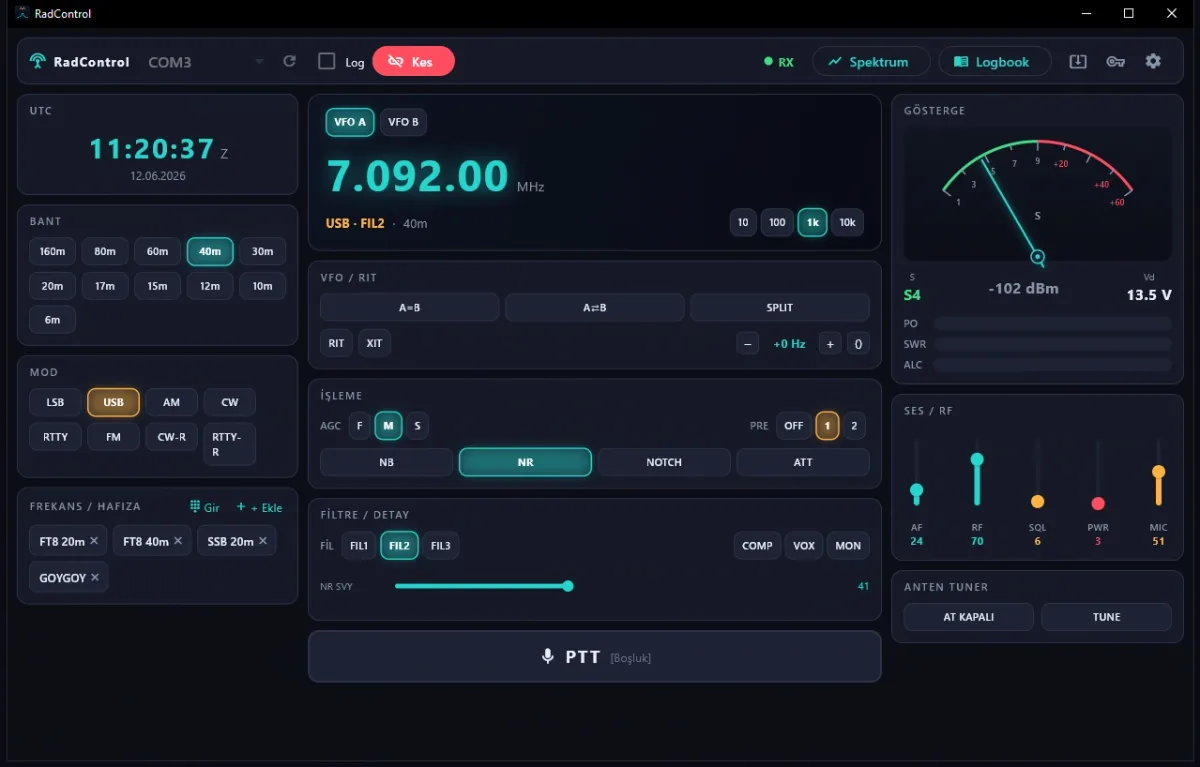
RadControl's main screen brings every function of the IC-7300 to your computer. Frequency, mode, band, filter and audio settings are all managed from a single window.
VFO A/B selection, RIT and XIT offset adjustment, A=B and SPLIT operations are performed right on screen. Alongside the LSB, USB, AM, CW, FM, RTTY and CW-R modes, the three filters (FIL1, FIL2, FIL3) can be switched with a single click.
AGC speed, NB, NR, NOTCH and ATT processing options, as well as audio and RF parameters such as AF, RF, SQL, PWR and MIC, are adjusted with intuitive sliders. Antenna tuner control and the COMP, VOX and MON functions are on the same screen too.
The right-hand panel shows a real-time S-meter, dBm signal level and supply voltage at a glance. Frequently used frequencies can be saved to memory channels and recalled with a single click.
PTT is mapped to the [Space] key as a keyboard shortcut, so you don't even need the mouse to go on the air.
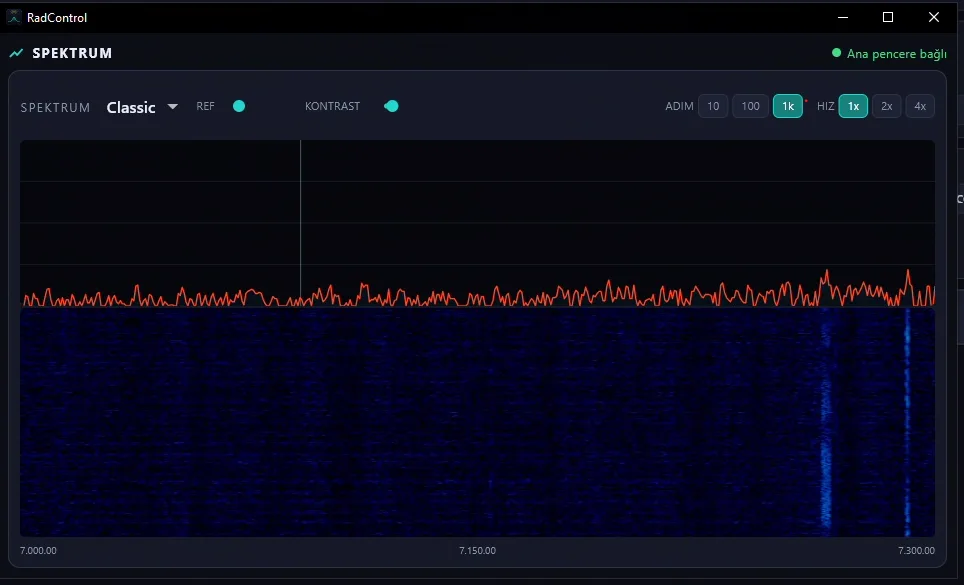
RadControl's built-in spectrum analyzer brings panadapter data to your screen in real time. Read the band at a glance and spot active signals instantly.
You can switch between different display modes, including Classic, and adjust the reference level and contrast to your liking. Step options of 10 Hz, 100 Hz and 1 kHz provide precise frequency tracking, while 1x, 2x and 4x speed options keep the waterfall scroll rate under control.
The spectrum window works in sync with the main window; just click to tune directly to a frequency. It can be positioned as a separate window and is well suited to multi-monitor setups.
Want to see the band before you listen? The spectrum window is always open and ready.
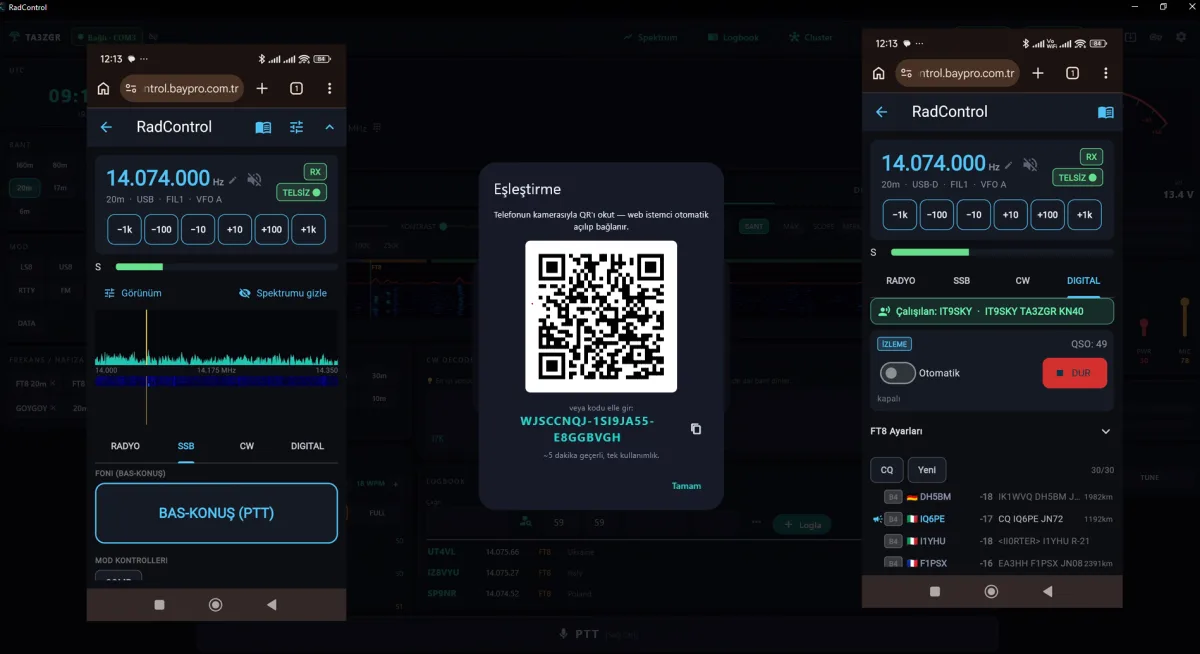
With RadControl, your radio stays at home while the control goes with you. Get full access to frequency/mode control, live spectrum, two-way audio, CW decoding and the logbook from your phone or a remote computer. Thanks to the relay server, no port forwarding or static IP is required; sign in securely with your BayPro account and sit down at your radio wherever you are.
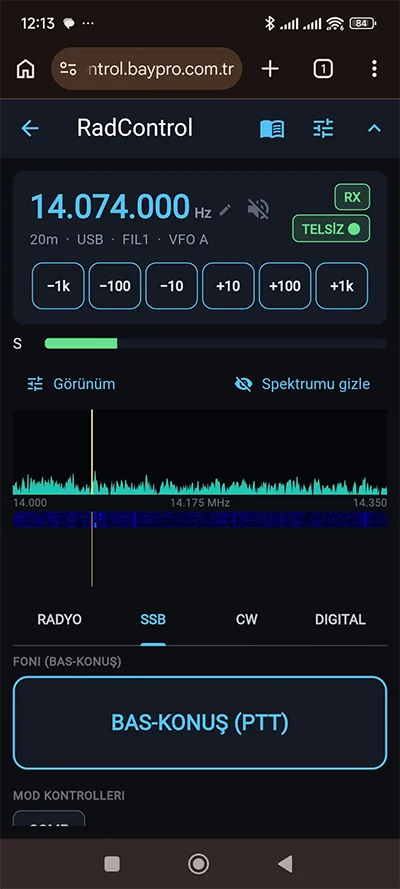
Click an image to enlarge it.
Open RadControl on your home computer, connect to the radio and enable remote access. Your station is now open to the world.
RadControl connects through a separate relay server. No port forwarding, static IP or router configuration required. "Even mobile data is enough."
Open the browser on your phone or run the client on another PC, then sign in with your BayPro account. Within seconds, your radio is right in front of you.
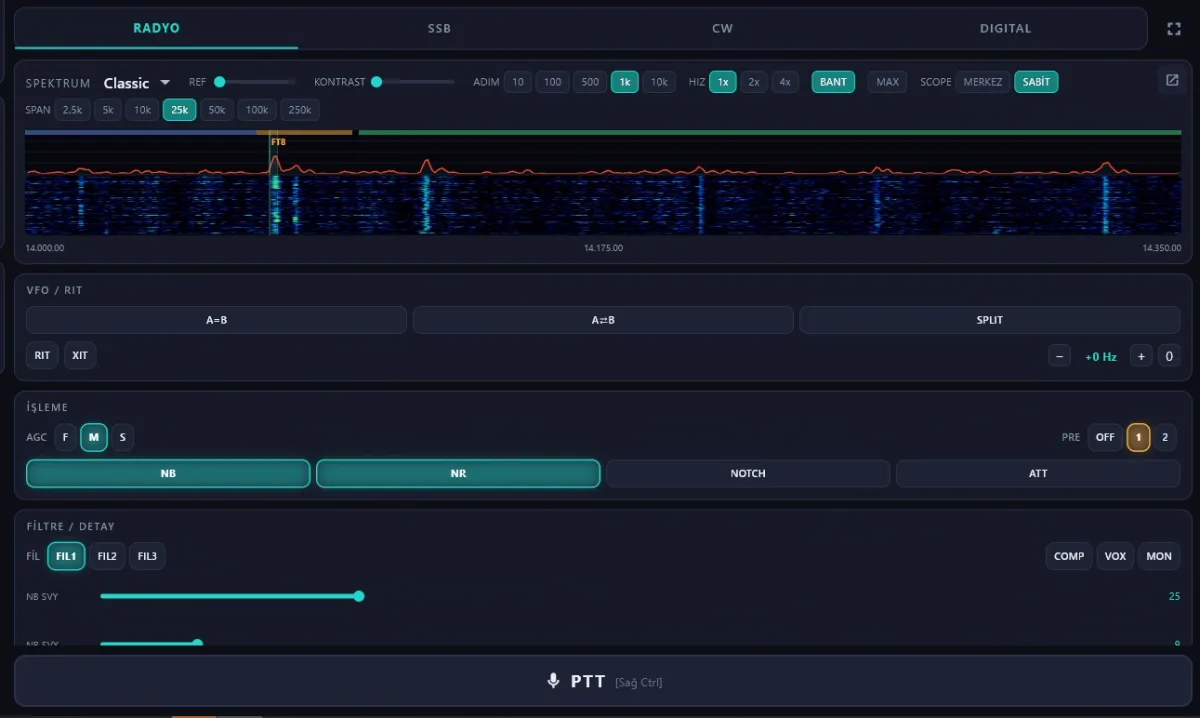
We split the operating modes into tabs, turning each mode into its own workspace. Instead of one cluttered panel, you get a clean screen focused on whatever you're doing at the moment:
- Less clutter — Each tab shows only the relevant controls; no unnecessary buttons to strain your eyes.
- Quick switching — Switch between RADIO ↔ SSB ↔ CW ↔ DIGITAL with a single click, without wasting time hunting for settings.
- Mode-specific tools — The keyer and decoder in CW and the FT8 tools in DIGITAL are always in the right place, ready to go.
- Workflow-friendly operation — The screen adapts to your work, not the other way around.
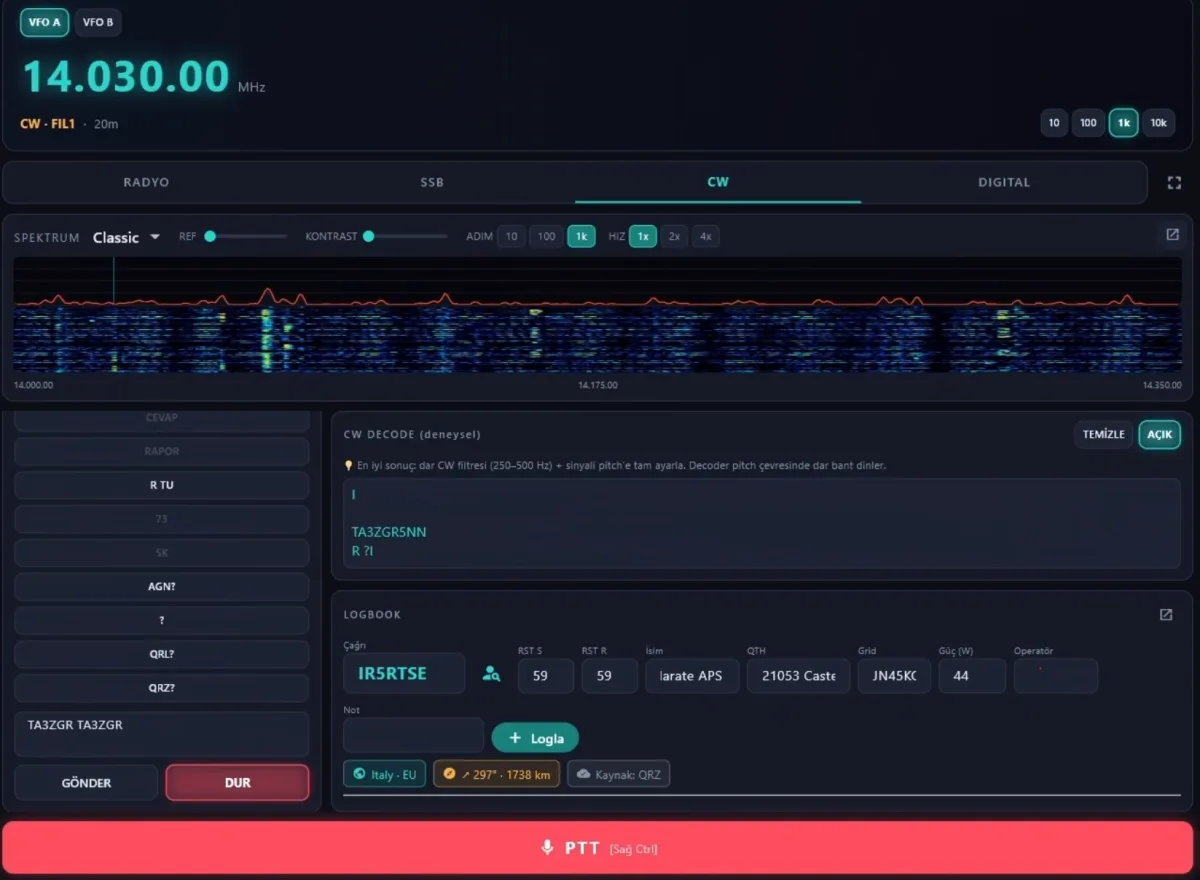
The CW Panel brings telegraphy operation to your screen from start to finish. It converts the incoming signal into text in real time and sends your transmissions straight to the radio, so you can operate by following along with your eyes instead of relying on your ears alone.
Live decode (RX) — Morse code you copy on the band is instantly turned into readable text, so you won't miss fast stations
Direct sending (TX) : Type your call or message and let RadControl send it to the radio over CI-V; consistent, clean keying
Eyes + ears together : Use the decode display alongside listening to confirm callsigns and reports and reduce the margin of error.
A dedicated CW environment : All CW tools are in their own tab, ready to use; no mode confusion.
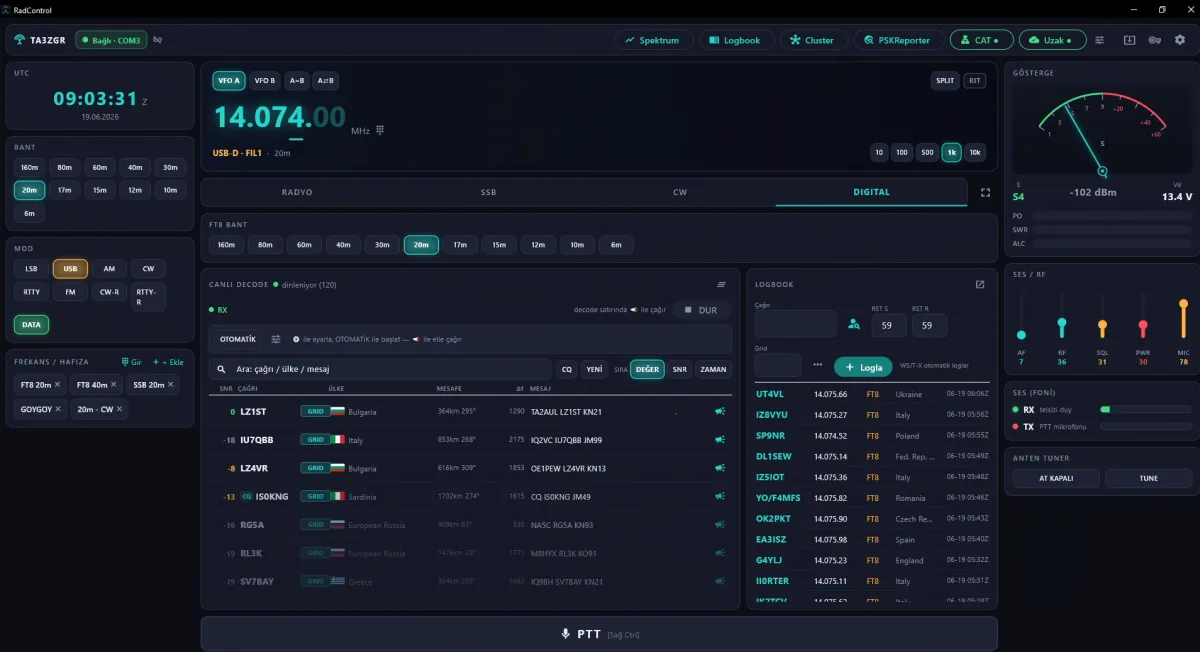
The DIGITAL tab combines your digital mode operation with RadControl's spectrum and control capabilities. Thanks to the built-in Hamlib NET rigctl server, software such as WSJT-X can use your radio at the same time as RadControl, with no fighting over a single COM port. On top of that, with FT8/FT4 auto-QSO, RadControl handles the exchange for you; instead of clicking through every step, you simply watch the QSO complete.
Automatic FT8 QSO — RadControl catches the incoming reply and the RR73 confirmation itself and runs the exchange for you. No more rushing to hit the button every period.
No missed QSOs — Replies and RR73s arriving in late decode passes are also caught, preventing QSOs left incomplete by "giving up too early." More QSOs, fewer losses.
Seamless sharing with WSJT-X — WSJT-X drives the same radio while RadControl keeps its connection to it; the single COM port conflict disappears.
A dedicated digital mode environment — All digital tools are in their own tab; SSB or CW controls don't get in the way.
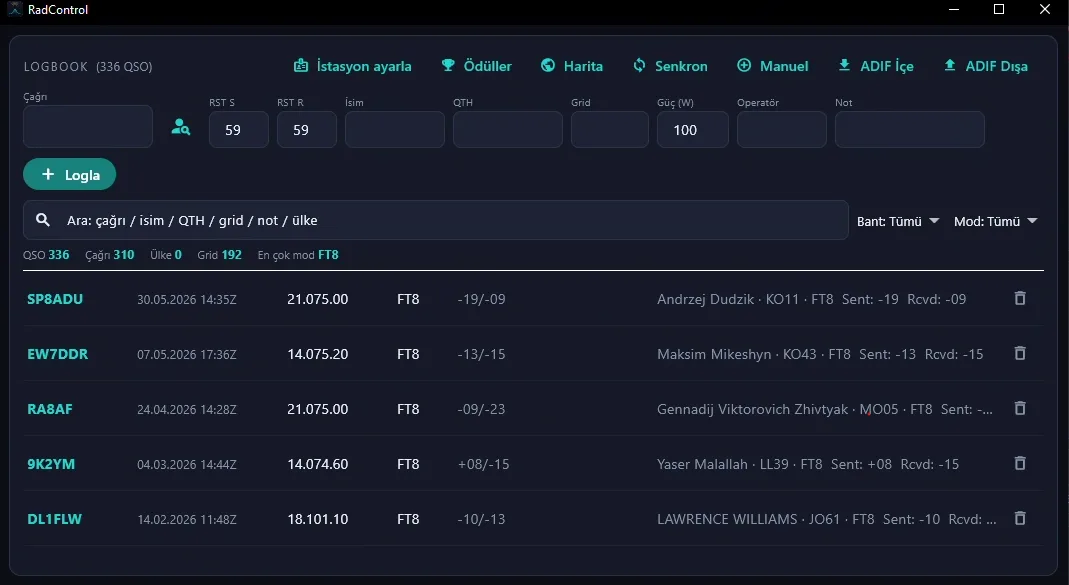
RadControl's built-in logbook module automatically records every QSO you make and makes managing them easy. Callsign, RST sent/received, name, QTH, grid square, power and operator notes are entered from a single screen.
The search bar lets you instantly filter records by call, name, QTH, grid or country. With band and mode filters, you can quickly get to the group of QSOs you want.
The statistics bar shows your total QSO count, unique calls, and grids and countries worked in real time. In the Awards section, you can track your DXCC, WAZ and other award goals.
The map view lets you visually explore the worldwide distribution of all your QSOs. ADIF import and ADIF export options ensure full compatibility with LoTW, eQSL and other logging programs. Manual entry and synchronization features are also supported.
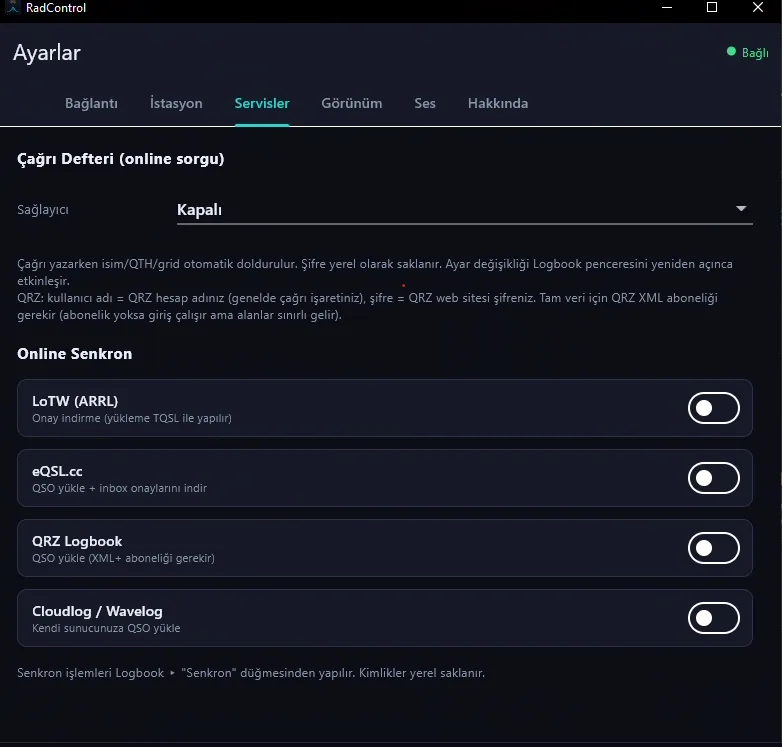
RadControl integrates directly with amateur radio platforms used around the world. Upload your QSOs to multiple services with a single click and receive your confirmations automatically.
With QRZ callbook lookup, name, QTH and grid information are filled in automatically as you enter a callsign, so there's no need to look up each contact separately.
With LoTW (ARRL) integration, download your QSO confirmations and simplify your award applications. Upload QSOs via eQSL.cc and import incoming confirmations directly into your logbook. Sync with QRZ Logbook; if you have an XML subscription, enjoy full data transfer. Cloudlog and Wavelog users can upload QSOs to their own servers.
All credentials are stored locally only and are never sent to a server. Synchronization is done in a single step using the Sync button in the Logbook window.
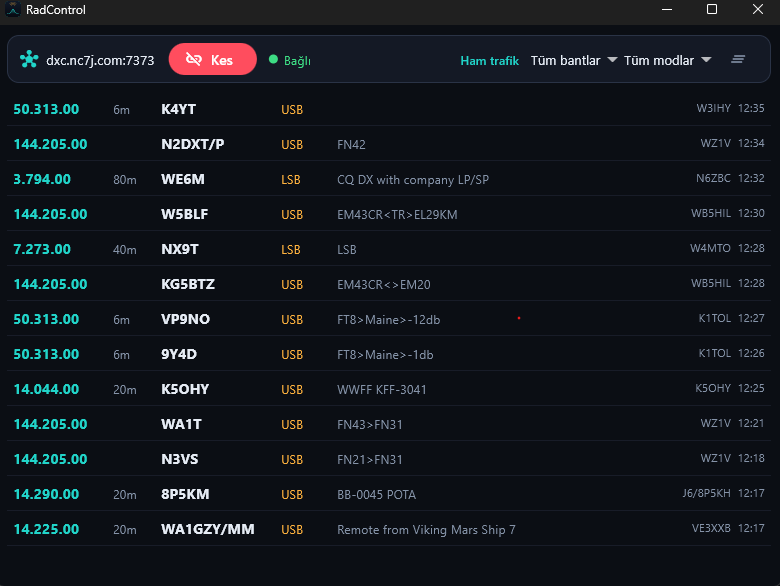
RadControl's DX Cluster screen lists DX spots from around the world in real time via the dxc.nc7j.com server. Track active DX stations, their frequencies, bands and modes as they happen.
With raw traffic, band and mode filters, you can display only the spots you're interested in. Double-click a QSO in the list and your radio automatically switches to that frequency and mode, so you can start listening right away without adjusting anything.
Spot details include frequency, callsign, mode, grid, comment and information about the spotting station. DX hunting has never been easier.
Everything you need for the IC-7300 in one application
Fully manage frequency, mode, band and filter settings from your computer
Make QSOs via headphones and microphone using the IC-7300's built-in sound card
Go on the air with a single key, without holding down a switch
Every contact is logged automatically, recording callsign, RST, band, mode, date and UTC
Export your log data in ADIF format, compatible with LoTW, eQSL and other platforms
Real-time signal strength is monitored live on screen
A fully Turkish, clean and easy-to-use interface design
A single installer, no driver hassle
Minimum 4-core CPU
4GB (8GB recommended)
Windows 10/11 (64-bit), macOS 13.0+
Minimum (1920x1080)
Students and YM (novice class) callsign holders, please contact us.
Prices are in Turkish Lira. The activated device can be changed at any time from your customer panel.
Click an image to enlarge it.
We will send your license key and download link to your email. No credit card required.
Recently released versions and changelogs.
Genel iyileştirme
Automation other solutions from this category
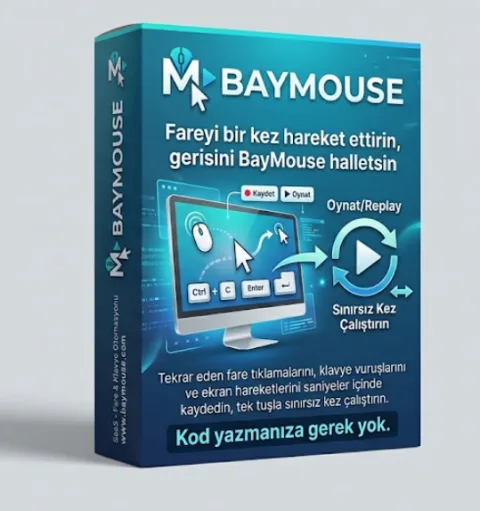
BayMouse is an automation program that lets you record and play back a series of mouse actions and save the recordings as script files for later use.